
Attendance, payroll and door access · with your machines or without
Your attendance machine, on your phone.
OTOMATE connects the machines at your gates to the cloud, or replaces them: staff can punch from the OTOMATE app with a selfie and their location. Every punch shows up in seconds, and shifts, leave, payroll and WhatsApp alerts run from the same place.
Plans from ₹15 per employee per month, plus GST. Payroll and HR from ₹25.Outside India, plans from $1.50 per employee per month, and door access from $3.00. Compare plans. Setup help included, and a 14-day free trial with no card needed.
Works with the machines you already have
See every supported model



- Face
- Fingerprint
- Card
- Palm
- PIN
- Selfie + GPS
- Door access
16+ yearsin security and access control
Fingerprints stay on your machineOTOMATE stores punches, never biometrics
Encrypted nightly backupsTwo-step sign-in, company data walled off
Talk to a person+91 90536 35607
Four ways to mark attendance
Use the machines you already own, add the app for staff on the move, or run on the app alone. Every punch lands in the same register, whichever way it came in.
Biometric machines
eSSL, ZKTeco, Realtime and Secureye machines with Cloud Server or ADMS send each punch the moment it happens.
Hikvision terminals
Face and fingerprint terminals push punches live, and OTOMATE sends staff, cards and door commands back.
Selfie + location
Staff punch from the OTOMATE app with a selfie, inside the office's geofence or from the field with their location.
Register corrections
HR marks present, absent or half day, adds a missed punch with a reason, and approves overtime. Every change is logged.
Recorded from the OTOMATE console. Orbit Precision Works is our demo company; its three machines are simulated, and everything else is the product as it runs today.
Learn it in 18 minutes
Free video lessons, recorded from the real OTOMATE console with a voice-over and captions. Watch before you buy, or train your HR team after.
-
 1:46
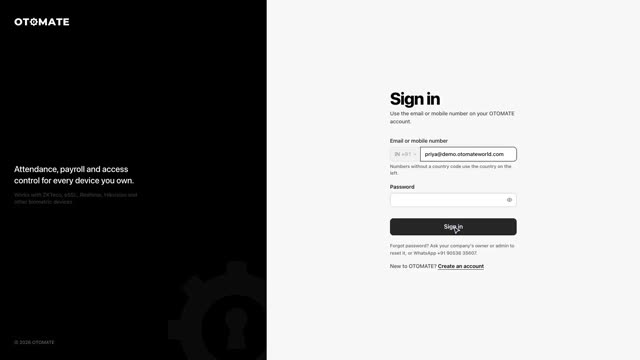
Lesson 1Getting startedSign in, read the dashboard, search, and set text size and theme.
-
 2:22
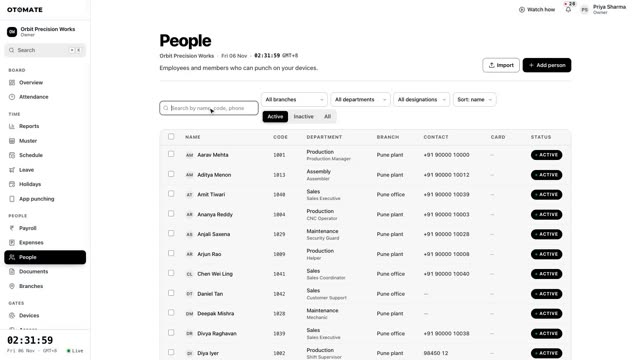
Lesson 2Add employeesAdd a person, open their profile, and keep photos and documents together.
-
 1:31
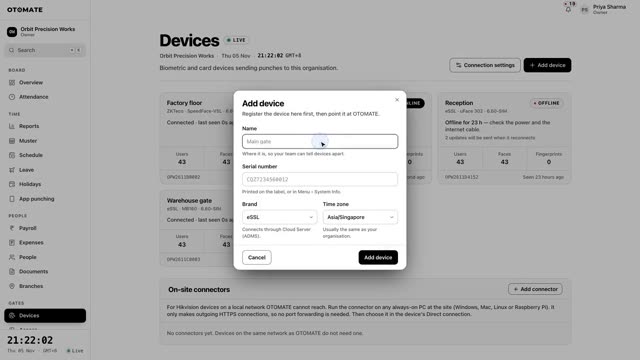
Lesson 3Connect a machineAdd an eSSL, ZKTeco, Realtime or Hikvision machine and see punches arrive live.
-
 1:23
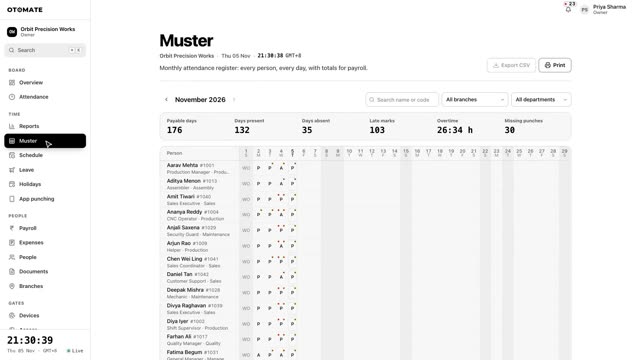
Lesson 5Attendance and correctionsRead punches and the monthly muster, correct a day, and approve requests.
-
 2:08
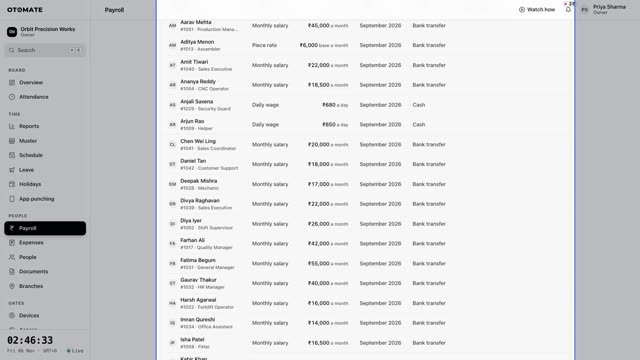
Lesson 7PayrollSalary structure, payroll run, payslips, bank file, PF/ESI and Tally export.
-
 1:15
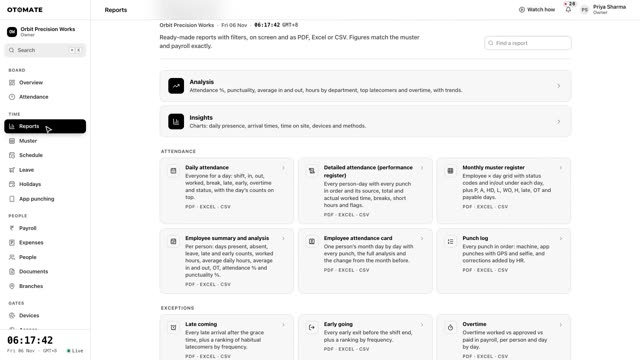
Lesson 8ReportsFind a report, choose the period, and download PDF, Excel or CSV.
Setting up is one change on the machine
Most eSSL, ZKTeco, Realtime and Secureye machines sold in India can already send punches to a server on the internet. They only need to be told where. You type our address into the machine once, add its serial number in OTOMATE, and punches start arriving. Hikvision terminals are set up the same way, from their web settings.
-
Enter our address on the machine
In COMM. → Cloud Server Setting (or ADMS), set the server to
devices.otomateworld.comand the port to80. -
Add the machine in OTOMATE
Type the serial number from the sticker. We only accept punches from machines you have added.
-
Watch punches arrive
Staff already enrolled on the machine are picked up as they are. New punches show up within seconds.
Everything after the punch
One account runs your attendance, leave, salaries and doors. No second software, no exporting to Excel to work out pay.
- Shifts and rosters
- Fixed, night and rotating shifts, weekly offs, a holiday calendar, late marks, half days and overtime, worked out for you.
- Leave and corrections
- CL, SL, EL and comp-off with your own rules. Staff apply, or ask to fix a missed punch, from the app; managers approve in a tap.
- Payroll
- Salary straight from attendance, with PF, ESI, professional tax, advances and loans. Payslips, salary register and bank sheet as PDF.
- Compliance and Tally
- PF ECR file, PF/ESI/PT summaries, gratuity, full and final settlement, and a salary journal ready to import into Tally.
- Expense claims
- Staff send bills with a photo from the app. Approved claims are paid with the next salary, never twice.
- Staff documents
- Aadhaar, PAN, offer letters and bank proof per person, with masked numbers and expiry reminders.
- HR letters and exits
- Offer, appointment, increment and relieving letters as numbered PDFs, and exits settled with gratuity and leave encashment.
- 27 reports
- Muster and performance registers, attendance statements, late, overtime, absence, leave, branch and payroll reports, each as PDF, Excel or CSV.
- WhatsApp and app alerts
- Live punch alerts, a morning absent list, birthdays and anniversaries, and phone notifications, in English or Hindi.
- Door access
- Decide who opens which door and when. People with access unlock from their phone, and every unlock is logged.
- Machines stay in sync
- Add, rename or remove a person once in OTOMATE and every machine follows: eSSL, ZKTeco, Realtime and Hikvision.
- Employee app
- Selfie and GPS punch, attendance, leave, payslips, expenses and documents, with App Lock, in English or Hindi.
What you see in the console
Screen recordings of the real console, not mock-ups. Pick one to watch.
The app, for when you're not at your desk
Check attendance from your phone before you've even left home. The OTOMATE app opens on today: who is in right now, the latest punches, and whether each machine is online.
- Who is in right now
- Latest punches, as they happen
- Every machine and whether it's online
- Sign in with your email and a password
New: door access
Open the door from your phone
People you allow can unlock a door from the OTOMATE app with a slide of the thumb. You decide who can open which door, on which days and between which hours, and every attempt, opened or refused, is written to the access log.
- Rules by person or by role, with days, hours and end dates
- Night shifts that run past midnight work as you'd expect
- Owners and admins can unlock from the console too
- Every unlock recorded with the person, the door and the time
Why owners switch from desktop attendance software
| Topic | OTOMATE | Typical desktop software |
|---|---|---|
| At the site | The machine and an internet connection | A PC that has to stay on, on the same network |
| When you see punches | Within seconds | After someone downloads the logs |
| Where you see them | Any browser, and your phone | That one PC, or remote desktop into it |
| Several branches | One account, every branch live | Separate copies, merged by hand |
| New employee | Added once, sent to every machine | Typed into each machine |
| Updates and backups | Done for you, backups encrypted every night | Your job |
| Security | Each company walled off by the database, two-step sign-in, encrypted bank and ID numbers, every change logged | Whatever protects that PC |
| How you pay | From ₹15From $1.50 per employee per month | Licence up front, plus a yearly AMC |
Four plans, priced per employee
Starter for attendance, Business for payroll and HR, Enterprise for door access and large teams, and Custom when you want your own mix of modules at a quoted price. No licence fee, no installation charge and no AMC. Yearly billing saves 20%.
Outside India: Attendance at $1.50 and Attendance + Access at $3.00 per employee per month, and gym plans from $39. Payroll is sold in India only. No licence fee and no installation charge. Yearly billing saves 20%.
Starter
₹15
attendance, shifts, leave
Business
₹25
+ payroll, expenses, WhatsApp
Enterprise
₹35
+ door access, custom roles
Custom
Quote
the modules you pick
Attendance
$1.50
machines, app, shifts, leave
Attendance + Access
$3.00
+ door access, custom roles
Gyms
$39
a month, up to 200 members
Custom
Quote
large or mixed teams
Try it on your own machine
Book a free demo and we'll connect one of your machines together, on a call. You'll see your own staff's punches arrive while we talk.
